Getting started with the Reachy Mini
Installation Linux User
If you’re a Linux user, follow the official install guide:
GStreamer installation
Install GStreamer according to your platform:
Starting up the Reachy Mini
To start up the Reachy Mini, press the button at the back of the black foot. The light turns green. The robot should make some soft motor noises, after which the robot is usually ready for connection. It does not make a custom noise to indicate that it has started up.
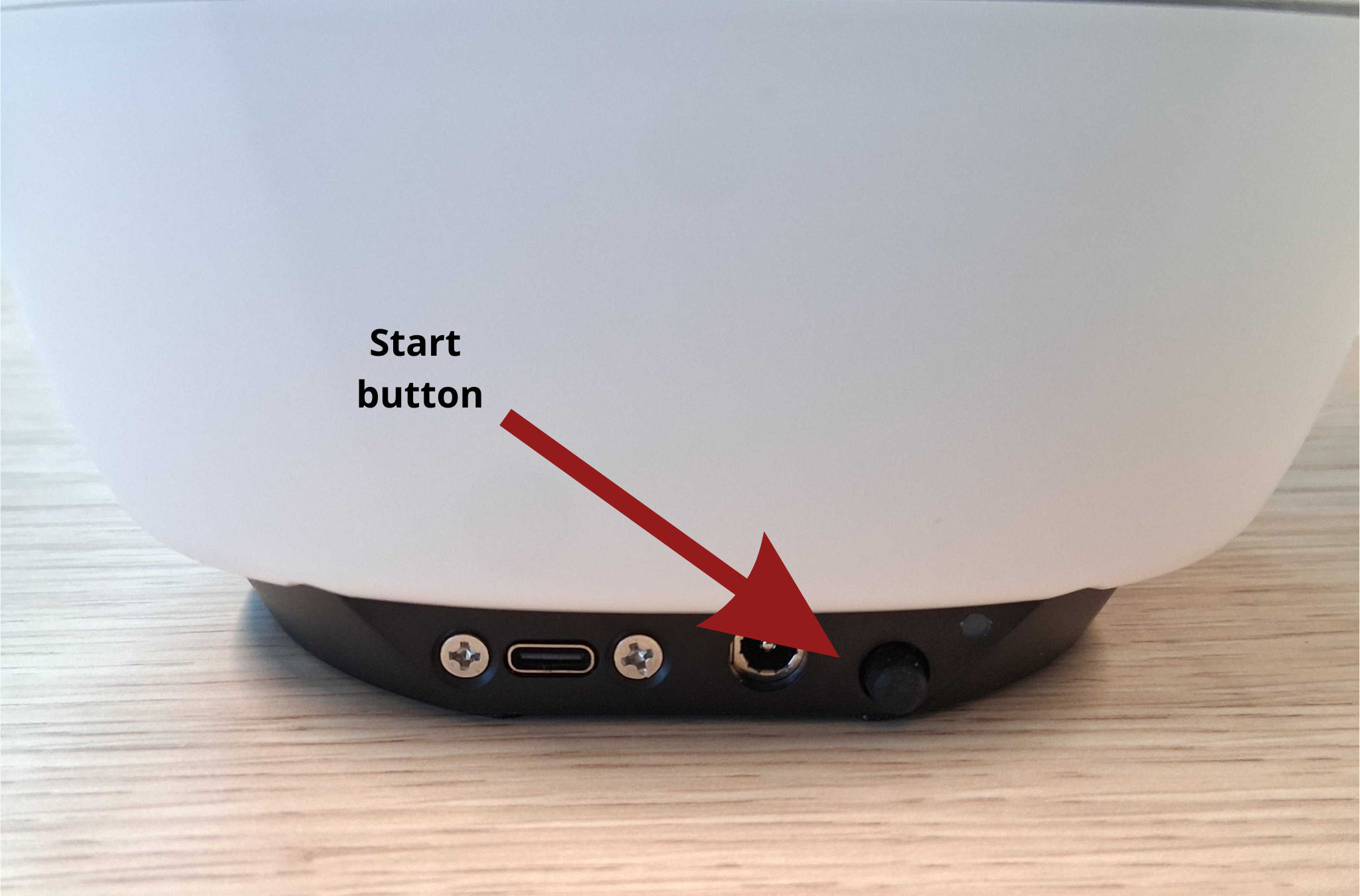
Important: the green light does not automatically mean the robot is turned on. The light is also green when the robot is charging. It is only turned on when the button is pushed in.
IP addresses of the Reachy Minis are found on the bottom of the robot.
Reachy Mini control
For adjusting settings on the Reachy Mini, run sic_applicationsdemosreachy_minidemo_reachy_mini_settings.py. It can be used for setting the volume and putting the robot into rest position. The robot should always be in rest position when idle.